Edit the SVG before you download it
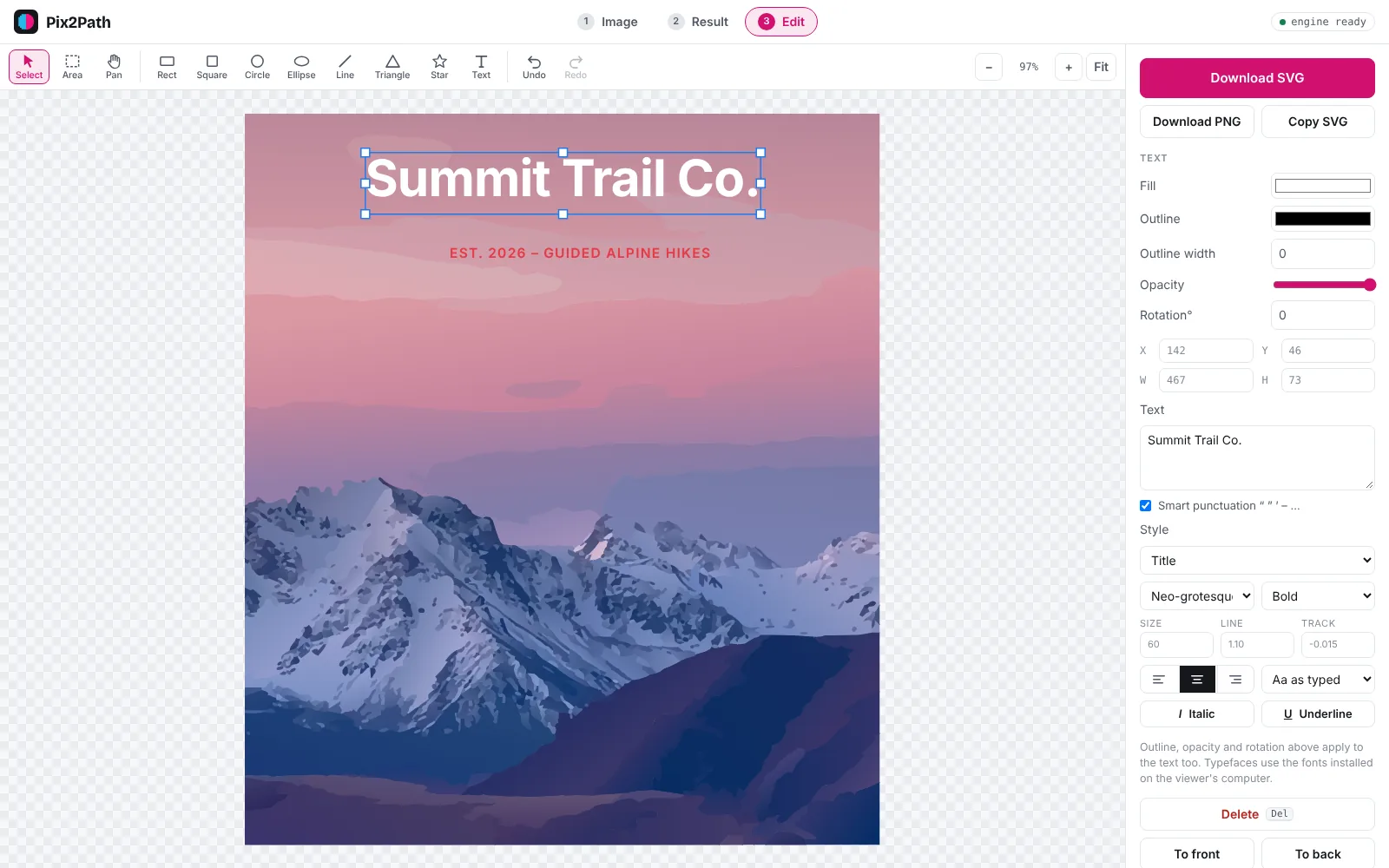
Every conversion opens in a simple editor. Remove a background, recolour a whole palette, delete stray objects, add shapes and text, then download a finished SVG or PNG, all in your browser.
Free, no sign-up. PNG, JPG, WebP, BMP, GIF and TIFF up to 40 MB. Images are never stored.
How it works
- Convert an imageUpload a PNG, JPG or other image and convert it.
- Open EditSelect shapes with a click or draw a box around many. Change fills and outlines, or delete them.
- DownloadSave as SVG, or as a PNG for places that don’t accept vectors.
Why Pix2Path
Remove backgrounds
Select background picks every border shape of the main background colour; press Delete for transparency.
Recolour in one go
Select same colour grabs every shape of a colour so you can change it everywhere at once.
Fill gaps
Fill with surroundings removes an object and closes the hole with the colours around it.
Shapes and text
Rectangles, circles, lines, stars and text with ready-made type styles.
Questions
Can I open an SVG I already have?
You can upload it, but it is treated as an image and converted again. To edit the paths of an existing SVG directly, use a full vector editor such as Inkscape or Illustrator.
Can I undo changes?
Yes. Undo and redo work for every edit, with Ctrl+Z / ⌘Z.
Is anything uploaded while I edit?
No. Editing happens entirely in your browser. Only the image you convert is sent to the converter, and it is never stored.
Do I need an account?
No. The converter and editor are free to use without signing up.